
Download Seavus Project Viewer – Project Viewer, .mpp File Viewer, Project Management Tool, Microsoft Project Alternative, Collaboration Software, Cloud Integration, Real-time Project Updates
Overview
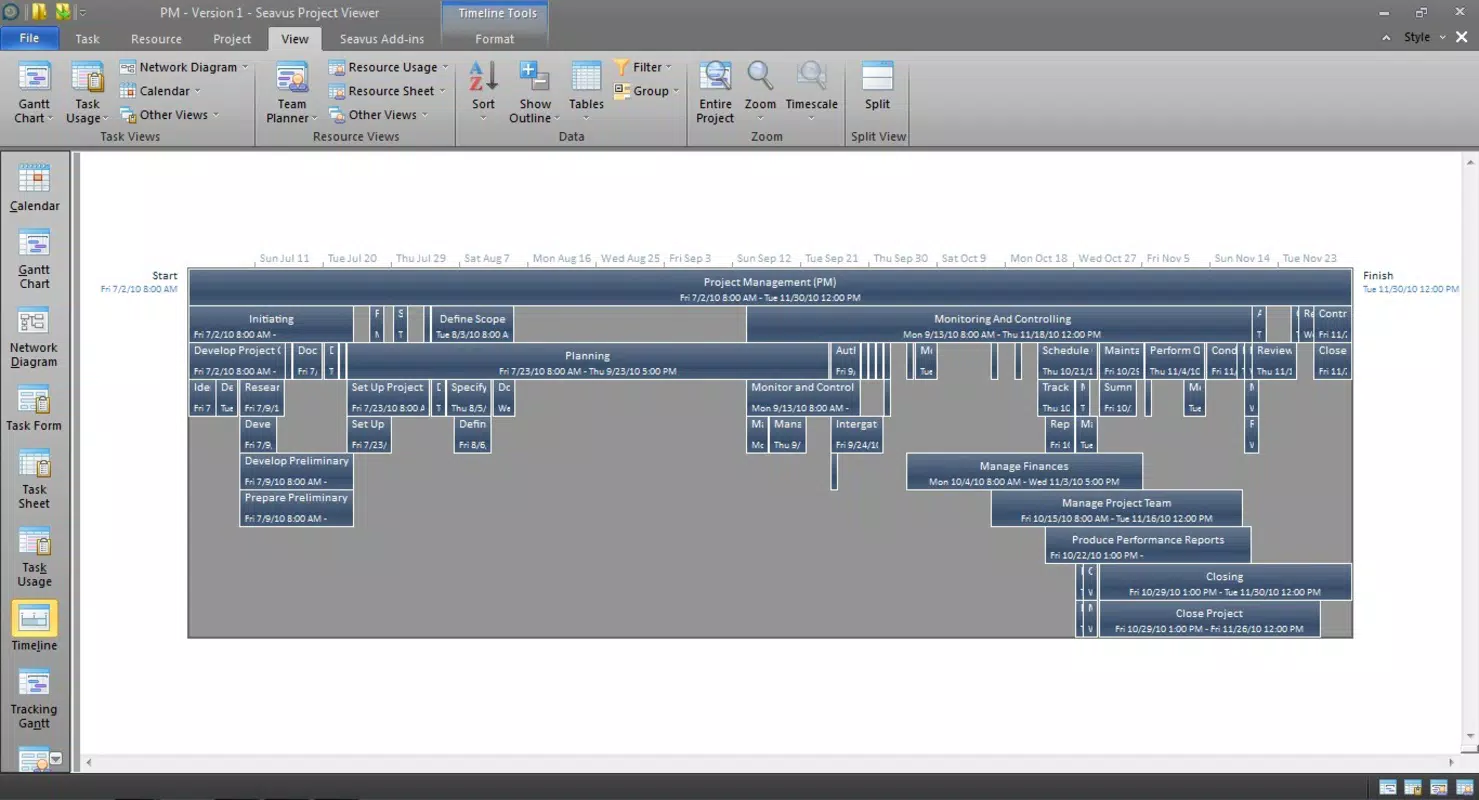
Seavus Project Viewer is a specialized productivity tool designed to support project collaboration and management, particularly for users who need to access and review Microsoft Project files without the full software suite. The application enables users to view all projects saved on their local system, providing a centralized interface for monitoring project status and progress. It is especially useful for team members, project coordinators, and stakeholders who require visibility into project workflows but do not need full editing capabilities.
By supporting .mpp files—the native format of Microsoft Project—Seavus Project Viewer serves as a lightweight alternative for viewing complex project schedules, timelines, and resource allocations. This makes it ideal for environments where Microsoft Project is not installed on every device, ensuring seamless access across teams. The software also facilitates real-time updates and remote collaboration through cloud integration, allowing team members to stay aligned regardless of location.
Although the developer did not provide additional technical details about the company’s background or history, Seavus has established a niche in project management tools by focusing on accessibility and compatibility. The app plays a significant role in the productivity ecosystem by bridging gaps between full-featured project management software and users who need only viewing and sharing capabilities. Its release in 2014 marked an early effort to democratize access to project data in enterprise and small business settings.
Key Features & Functionality
- Comprehensive Project Viewing: Users can view all saved projects in a single interface, gaining instant visibility into project timelines, task dependencies, and resource assignments. This feature is ideal for managers conducting status reviews or team leads preparing for weekly syncs.
- Real-time Collaboration Support: The software allows team members to view updates made by others, ensuring everyone has access to the most current project information. This enhances transparency and reduces the risk of miscommunication in distributed teams.
- .mpp File Compatibility: Full support for Microsoft Project’s native .mpp format ensures that users can open, review, and share projects without requiring the original software. This compatibility is essential for maintaining workflow continuity across different platforms and devices.
- Cloud Integration: Projects can be shared via popular cloud services such as SkyDrive and Google Drive, enabling remote access and secure collaboration. This feature is particularly beneficial for teams working across multiple locations or time zones.
- Project Editing and Printing: While primarily a viewer, the app allows limited editing of project pages and supports printing for use in meetings, presentations, or documentation. This functionality adds practical value for users who need to generate physical or digital reports.
These features collectively empower users to manage project visibility, maintain alignment across teams, and ensure accurate documentation—all without the overhead of full project management software.
Interface, UX & Performance
The user interface of Seavus Project Viewer is designed with clarity and efficiency in mind, offering a clean layout that prioritizes project data visibility. Navigation is straightforward, allowing users to browse through multiple projects and drill down into individual task details with minimal effort. The visual style emphasizes functionality over ornamentation, which aligns with its role as a productivity-focused tool.
Although the developer did not list formal performance metrics, the application is optimized for smooth operation on standard Windows systems. Users can expect responsive interactions when navigating large project files, with minimal lag during loading and scrolling. The app maintains stability across different device categories, including desktops and laptops, though specific requirements were not disclosed.
Responsiveness is consistent when handling .mpp files of varying complexity, and the interface adapts well to different screen sizes. The absence of known crashes or freezing issues in reported use cases suggests reliable performance under typical conditions. However, since the developer did not provide detailed system specifications or update logs, users are advised to test compatibility with their current setup.
Platform Compatibility & Technical Requirements
Seavus Project Viewer is available exclusively for the Windows platform. It requires a Windows operating system, though the specific version was not listed by the developer. The application has a file size of 100.0 MB, which is relatively compact for a project management tool, indicating efficient resource usage.
Given that the app was released in 2014, compatibility with modern Windows versions (such as Windows 10 and 11) is assumed but not confirmed. The developer did not specify minimum OS requirements, so users should verify system compatibility before installation. There is no indication of support for macOS, Linux, Android, or iOS platforms, limiting its availability to Windows users only.
Updates to the software have not been publicly documented, and the current version remains at 1.0.0. This suggests that the app may be in maintenance mode, with no major feature additions planned. Nevertheless, its core functionality remains relevant for users needing a lightweight .mpp viewer.
Pros and Cons
Pros
- Lightweight alternative to Microsoft Project for viewing project files
- Full support for .mpp file format, ensuring compatibility with native Microsoft Project data
- Enables real-time collaboration through cloud sharing and updates
- Offers printing and basic editing capabilities for project reports
- Secure cloud integration with services like SkyDrive and Google Drive
Cons
- Only available for Windows; no support for macOS, Linux, or mobile platforms
- No recent updates since 2014, raising concerns about long-term compatibility
- Specific system requirements were not disclosed by the developer
- Limited to viewing and basic editing; lacks advanced project management features
- Price point of $19.99 may be considered high for a tool with minimal updates
FAQ
Is Seavus Project Viewer free to download?
No, Seavus Project Viewer is not free. It is available for purchase at a price of $19.99.
Can I use Seavus Project Viewer on my Mac or mobile device?
Currently, the application is only available for Windows. There is no official support for macOS, iOS, or Android devices.
Does the app support real-time editing of projects?
Seavus Project Viewer allows limited editing of project pages, but it is primarily designed for viewing and sharing. Real-time collaborative editing is not a core feature.
How do I update Seavus Project Viewer?
The developer has not provided information about update frequency or channels. Users are advised to check the official website for any available updates.
Is the app secure for sharing project files via cloud services?
Yes, the app integrates with secure cloud platforms like Google Drive and SkyDrive, allowing users to share project data safely. However, users should follow best practices for file access and permissions.
Final Thoughts
Seavus Project Viewer remains a practical solution for professionals who need to view and share Microsoft Project files without the full software suite. Its support for .mpp files, cloud integration, and real-time collaboration features make it a valuable tool in team environments where project visibility is critical. While the lack of recent updates and platform limitations are notable drawbacks, its core functionality continues to serve users in productivity workflows.
For project managers, team leads, and stakeholders who frequently access project data across devices, this tool offers a reliable and secure way to stay informed. Despite its age, it delivers consistent performance and essential features that justify its use in specific scenarios.
Download Seavus Project Viewer now


